Glassdoor | Jobs & Careers
- 4.7
- Rating
- 10.00M
- Installs
- Free
- Price

 Analysis by App-foxy
Looking for work is already tiring, and the difficulty is not always finding a vacancy. Sometimes the real problem is reading through dense job descriptions, comparing employers, checking salary information, and keeping track of applications when your attention, vision, mobility, or schedule makes ordinary job hunting harder. I spent time using Glassdoor | Jobs & Careers with that wider situation in mind. My impression is that it works best as a research and discovery tool: it helps me understand an employer before I decide whether an application deserves my time.
This is a free business app from Glassdoor LLC., available to everyone and used by a very large audience. It has an average rating of 4.7 from around 635 thousand ratings, with more than 10 million installs. Those figures suggest that it has become a familiar part of the job-search process, but popularity does not automatically make an app comfortable for every user. What matters here is how practical the experience feels when I am tired, working on a small screen, using assistive settings, or trying to search in a noisy place.
How clearly the app presents jobs and employer information
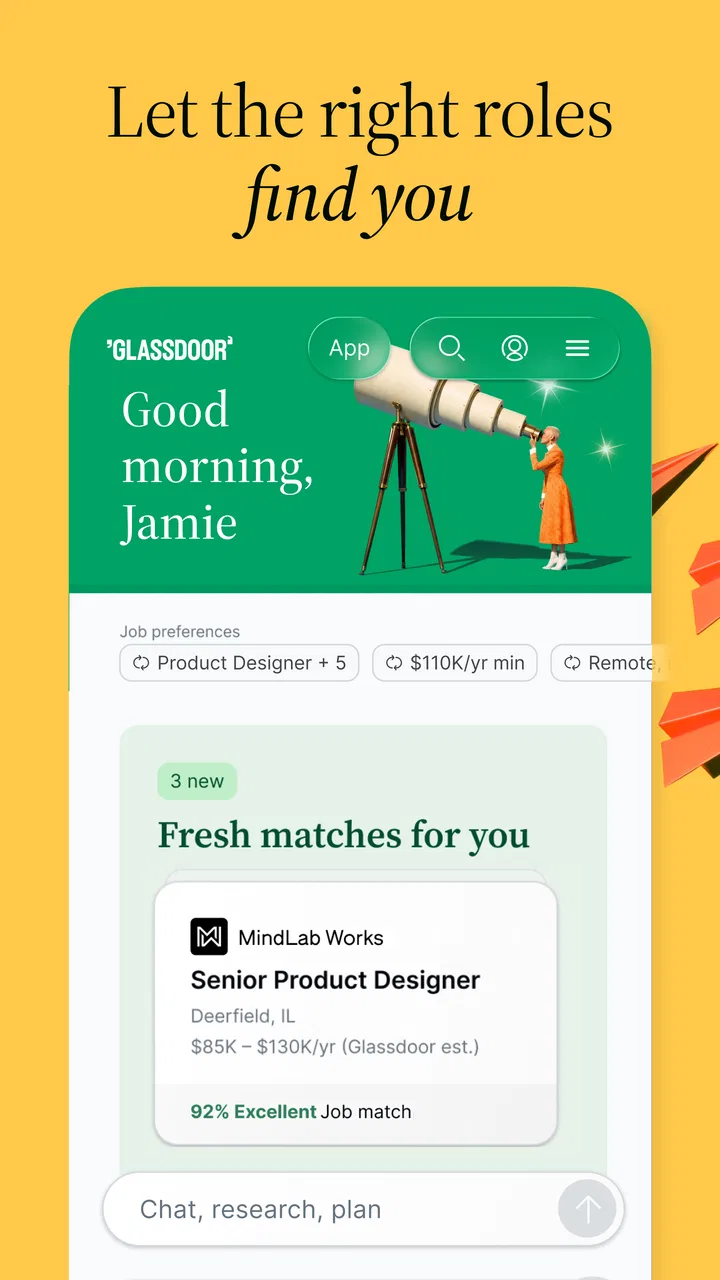
The strongest part of the experience is the way it brings several sides of a job search together. Instead of looking only at a vacancy, I can investigate the company, read workplace opinions, consider salary information, and then decide whether the role is worth pursuing. That is more useful than a basic job board when I care about the environment I might be joining, not just the job title.
You May Also Like

 Blood Strike: 2.5 Anniversary
Blood Strike’s Loadouts Turn Every Drop Into a Tactical Gamble
A close look at Blood Strike’s custom loadouts: how fast access to signature weapons reshapes its battle royale rhythm, rewards preparation, and narrows the gap between fights.

 Pandora - Music & Podcasts
Pandora’s Music Is Easy to Start, but Harder to Recover
Pandora’s strength is its low-effort path from a seed to a station. Its weak spot is how much confidence it asks you to place in connection, setup, and quiet recovery.

 8 Ball Pool
8 Ball Pool Is Built on Rivalries, Rematches, and Routine
A close look at the rivalries, rematches, shared routines, and unanswered safety questions that turn a quick pool match into a persistent mobile community.

 Samsung Music
Samsung Music’s Quiet Strength Is Playing What You Already Own
Its reach comes less from spectacle than from dependable access to a personal library. That simplicity is both the app’s strongest retention engine and its ceiling.

 AccuWeather: Weather Radar
AccuWeather Review: A Quick, Clear Forecast for Everyday Decisions
For everyday plans, the best forecast is the one you can understand quickly. AccuWeather makes rain timing, radar, and local conditions easy to act on, with a few trade-offs.

 Hill Climb Racing
Why Hill Climb Racing Still Turns Crashes Into One More Run
A tiny car, a bumpy hill and one more upgrade: Hill Climb Racing keeps resurfacing because its simple chaos makes every near-miss feel personal.
More From Our News Desk
View All News


Navigation generally makes sense because the main purpose is easy to understand: search for work, explore employers, and use employee perspectives as context. I found that this structure suits people who prefer to make a shortlist gradually rather than apply to every vaguely relevant opening. It also supports a useful pause between discovering a role and sending an application, which is important for anyone who needs extra time to process information.
Readability depends heavily on the individual listing. Some job descriptions are naturally clear, while others contain long paragraphs, repeated requirements, or corporate language. The app cannot make every employer write well. I would not treat the presence of a polished interface as proof that every vacancy is easy to understand. I still need to slow down and separate essential qualifications from optional preferences.
For users with dyslexia, attention difficulties, or limited concentration, I recommend reading a listing in passes. On the first pass, I look only for location, work arrangement, core duties, and closing information. On the second, I check qualifications and benefits. This is less overwhelming than trying to remember everything from one long screen. I also keep a separate note with questions, because switching repeatedly between a listing and other parts of the app can make details disappear from memory.
The employer pages are particularly valuable for comparison. A vacancy may sound attractive in isolation, but employee reviews can reveal whether the role deserves closer investigation. I do not read those comments as objective truth. They reflect individual experiences, and older or highly emotional reviews can distort my first impression. The better approach is to look for recurring themes across multiple comments, then compare them with the actual job description.
That workflow is one of the app’s less obvious strengths: it encourages informed skepticism. I can use a promising listing as a starting point, then test its claims against workplace feedback and salary context. A conventional job board is often faster for scanning a large number of openings, but it may leave me with fewer clues about the organization behind each posting.
Reading comfort on a small screen
On a phone, long listings require more scrolling than I would like. That is not a deal-breaker, but it changes how I use the app. I prefer it for discovery and comparison, then move to a larger screen when I need to study a complicated description or prepare an application. Someone who relies on a phone alone can still use it, although the experience may become tiring during a long search session.
Text size, contrast, and magnification settings on the device can make a meaningful difference. I would set those up before judging the app, especially if standard text feels cramped. Larger text can also increase scrolling, so there is a trade-off between comfort and seeing more information at once. In my experience, a moderate increase is more practical than making everything extremely large.
People who use screen readers or other reading assistance should test the actual search and listing flow on their own device. I would not promise that every label, control, or employer-created section will behave perfectly, because the content comes from many sources and interfaces can change. The app is most useful when the user can move through the main controls comfortably and has another way to inspect a difficult listing if a particular screen causes trouble.
Motor, sensory, and cognitive considerations
Job searching involves repeated taps, scrolling, typing, filtering, and returning to earlier results. For someone with limited dexterity, hand tremors, joint pain, or fatigue, that repetition can become the main barrier rather than the job information itself. I found it more manageable when I searched with a specific goal instead of browsing endlessly. A focused query reduces the number of gestures and helps prevent the familiar cycle of opening unsuitable listings, backing out, and starting again.
Voice input can be useful for entering search terms or notes when typing is uncomfortable, although the quality of the result depends on the device and the wording of the query. I would keep search phrases short and specific. For example, a role combined with a location or work arrangement is easier to correct than a long spoken sentence containing several filters.
Sensory overload is another practical concern. A job app can be used in a quiet room, but real users often search during a commute, a break at work, or while dealing with household noise. I prefer to save promising roles or record their details immediately rather than trusting that I will find them again later. This is not just an organizational habit; it reduces the mental load of rebuilding a search after an interruption.
For users with attention-related conditions, the abundance of employer information can be both helpful and distracting. Reviews, salary context, and job details answer important questions, but they can also pull me away from the original decision. My most effective method is to define a stopping rule: I read enough to answer whether the role matches my basic needs, whether the employer raises serious concerns, and whether the pay information deserves further checking. If those answers are clear, I move on instead of endlessly researching.
That approach also protects against overinterpreting reviews. A long reading session can create the illusion that I know a company completely, when I have only seen selected opinions. The app supports investigation, not certainty. Users who find conflicting information stressful may prefer to use it alongside a simple checklist rather than making a decision based on an overall feeling.
Using it in different real-life situations
One realistic example is a parent searching after the children are asleep. The user may have only short periods of quiet, limited energy, and a need to identify flexible or compatible work quickly. I would search for a narrow group of roles, inspect the employer context, and save only the strongest candidates. Trying to complete a full application during that session may be unrealistic; the app is more valuable as a way to prepare a shortlist for a calmer time.
Another situation is someone returning to work after illness or a career break. Employer reviews can help form questions about workload, management, and day-to-day expectations, but they should not replace a direct conversation with the hiring team. I would use the app to identify possible concerns before an interview, then ask concrete questions rather than assuming every review applies to the specific department.
For a person with low vision, the best experience may come from combining the app with the phone’s magnification, larger text, display contrast, or spoken reading tools. I would also avoid judging a vacancy while rushing. A large amount of scrolling and mixed-quality text is easier to handle when the user can pause, enlarge, or listen in a controlled setting.
For someone with hearing loss, the core job-search functions are naturally more useful than any process that depends on an immediate spoken interaction. Written job details and workplace perspectives can make initial research more independent. However, the app cannot guarantee that a later employer contact will be equally accessible. I would use the listing to identify the role, then confirm communication preferences directly with the employer.
People working across changing locations may appreciate being able to research during spare moments, but mobile convenience has limits. A weak connection, glare, or a crowded environment can make detailed reading unpleasant. I would use short sessions for discovery and reserve careful comparison for a stable setting. That division prevents a rushed decision based on half-read information.
Where it compares well, and where another option wins
Compared with a plain job board, this app gives the search more context. The ability to investigate employers and read workplace experiences is the reason I would choose it over a listing-only alternative. It is particularly useful when company culture, management, compensation, or reputation matters as much as the role itself.
On the other hand, a dedicated professional networking service may be better for contacting people, building relationships, or finding roles through personal connections. A government employment portal may be preferable when I need official public-sector information or a formal application route. A company’s own careers page can also be the better source when I already know the employer and want the most direct version of its vacancies.
I would not use Glassdoor as my only source. Employer reviews are subjective, salary information needs context, and listings can change. The app is excellent for forming questions and narrowing choices, but I still verify important details in the vacancy itself and during the hiring process. That is especially important for accessibility needs, remote-work expectations, scheduling, and accommodations.
Small habits that make the experience more inclusive
My first practical tip is to separate discovery from application. I use the app to decide which roles deserve attention, then prepare application materials somewhere less distracting. This helps users who need more time, alternate input methods, or a larger display, and it reduces the pressure of making every decision in one mobile session.
My second tip is to create a personal comparison note with only a few headings: essential duties, schedule, location, pay questions, and concerns from reviews. This turns a stream of impressions into something easier to compare. It is especially helpful when several listings use similar titles but describe very different working conditions.
My third tip is to treat accessibility as a question to investigate, not an assumption to make. If a listing does not explain the working environment clearly, I would note what needs confirmation: communication style, physical demands, equipment, scheduling, travel, and the process for requesting support. Reviews may suggest useful questions, but they cannot establish what will happen in a particular team.
A fourth useful habit is to stop reading when the evidence becomes repetitive. More reviews do not always produce more clarity. Once I have identified consistent themes and a few uncertainties, I get better value by preparing questions or comparing another employer. This keeps the app from becoming an endless research loop.
Remaining barriers and who should skip it
The main limitation is that the app cannot control the quality, structure, or accessibility of every employer’s content. A well-designed search experience still leads to listings written in dense language, inconsistent formats, or vague descriptions. Users who need highly structured information may find that inconsistency frustrating.
There is also a risk of emotional fatigue. Reading negative workplace experiences can be useful, but it can make the entire job market feel hostile if I consume too much of it at once. I would avoid using the review section late at night or immediately before an important application. A short, deliberate check is healthier than treating every comment as a warning.
Someone who wants only the fastest possible route to submitting applications may prefer a simpler job board. The research features add value, but they also add decisions and reading. Likewise, people who already have a trusted network or a specific employer in mind may gain more from direct contact or the company’s own recruitment channel.
Users with significant access needs should not assume that a general-purpose app will meet every requirement without testing. Device settings, assistive technology, listing structure, and employer communication all affect the final experience. I see this as a practical tool that can support independence, not as a substitute for accessible hiring practices.
The app runs on Android devices using version 8.0 or later, and its current version is 12.24.0. It has been available since March 13, 2013, which helps explain why it feels like an established service rather than a narrowly focused newcomer. Still, a long history does not remove the need to check how the current interface behaves on your particular device.
My inclusive verdict
After using it as a job-search and employer-research companion, I think Glassdoor | Jobs & Careers is most valuable for people who want context before applying. It gives me a way to compare opportunities through more than job titles, and that can make the process less risky when I am deciding where to spend limited time and energy.
Its accessibility story is practical rather than perfect. Device-level display and input tools can improve readability and reduce physical effort, while short searches and personal notes help with fatigue and attention. At the same time, employer-written content remains uneven, long listings can be tiring, and reviews must be interpreted carefully. Those limitations matter most for users who need predictable structure or who cannot easily switch to another source when a listing is difficult.
I would recommend it to job seekers who want to investigate companies, prepare better interview questions, and build a thoughtful shortlist. I would pair it with official employer information and a direct conversation about accommodations or working conditions. If your priority is simply submitting applications as quickly as possible, another job board may feel lighter. But if you want to understand the workplace behind the vacancy, this free business app is a strong starting point, provided you use its opinions as evidence to examine rather than promises to accept.
FAQs for Glassdoor | Jobs & Careers
01What is Glassdoor and how does it work?
Glassdoor is a job search platform that provides users with access to millions of job listings, company reviews, and salary insights. Users can search for jobs, read reviews from current and former employees, and even get a sense of the company culture. The platform also offers features like salary estimates and interview tips to help candidates prepare for their job search.
02How accurate are the salary estimates on Glassdoor?
Glassdoor provides salary estimates based on anonymous data submitted by employees and employers. While these estimates offer a general idea of what to expect, they might not always accurately reflect every specific role or location. Users should consider them as a helpful guideline rather than an absolute figure, and cross-reference with other resources if needed.
03Is Glassdoor free to use?
Yes, Glassdoor is free to use for job seekers. Users can create an account and access most of the features, such as job listings, company reviews, and salary information, at no cost. However, there are premium features available that require a subscription, offering more in-depth insights and additional tools for job seekers and employers.
04How reliable are the company reviews on Glassdoor?
Company reviews on Glassdoor are submitted by current and former employees, providing varied perspectives on the work environment, management, and culture. While many reviews are genuine, it's important to read multiple reviews to get a balanced view, as experiences can vary widely. Users should also be aware of potential biases in reviews.
05What privacy measures does Glassdoor have in place for users?
Glassdoor prioritizes user privacy by allowing individuals to submit reviews and salary data anonymously. The platform does not disclose any personal information without user consent. Additionally, users can manage their privacy settings and control the visibility of their profiles and contributions, ensuring a secure and private experience on the platform.
Pros
- Comprehensive job listings.
- User-friendly interface.
- Company reviews available.
- Salary insights provided.
- Career advice articles.
Cons
- Limited job alerts customization.
- Some reviews may be outdated.
- In-app ads can be intrusive.
- Premium features are costly.
- Profile setup can be time-consuming.

Glassdoor | Jobs & Careers
Gallery